The USA offer in plain English
Two offers are live for US businesses, and it's worth knowing both:
- Xero's US pricing page (checked 16 November 2026): "Get 80% off your plan for your first 3 months". Early, Growing and Established base plans, new US customers buying their first organization, campaign code
DC80325309US. - Xero's referral page (where my button goes): "Get 80% off for 6 months", for organisations new to Xero, until 31 March 2027. No promo code needed. You must sign up on that page.
They can't be stacked. Xero's terms on both say the offer can't be combined with any other plan offer.
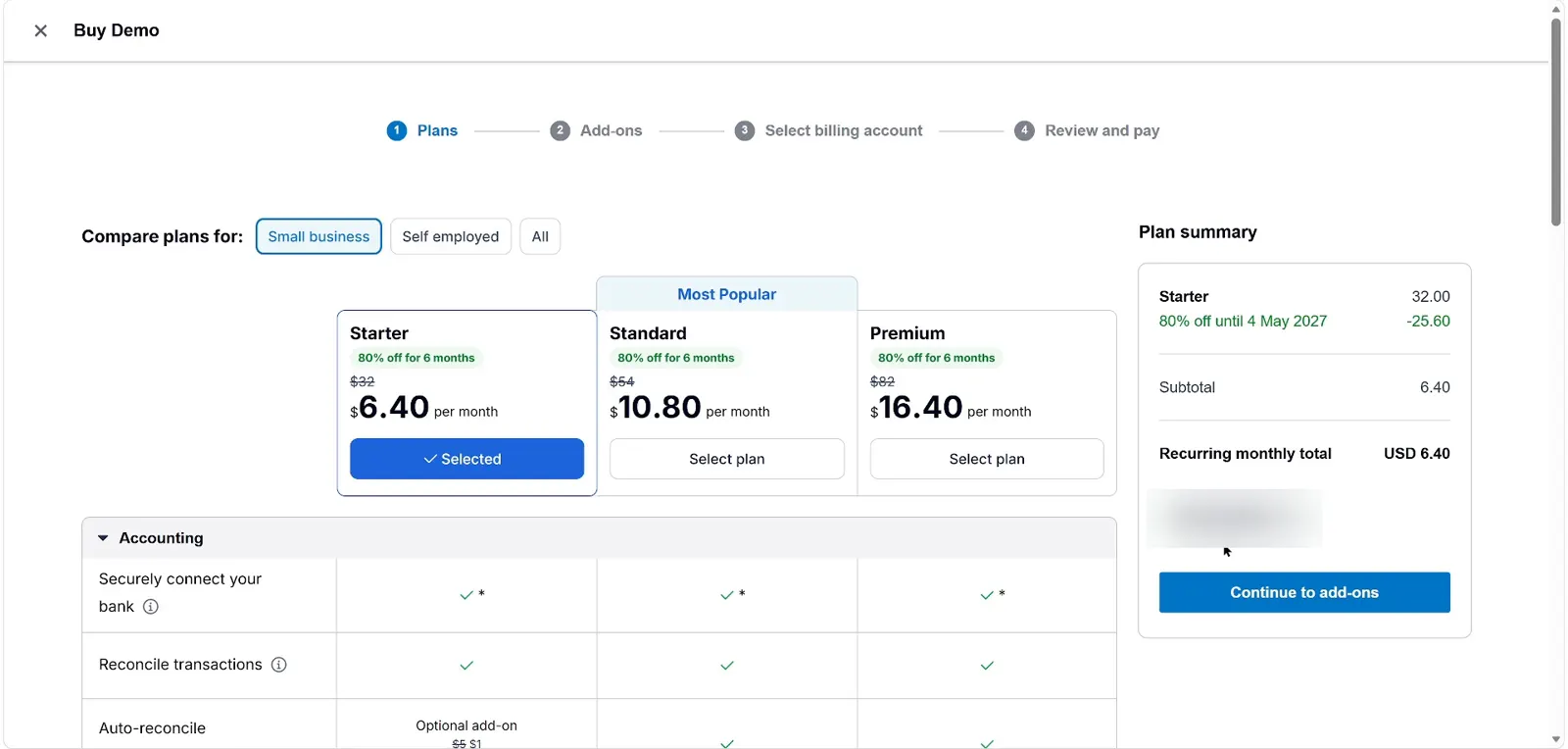
Here's my honest caveat. The referral page lists the Starter, Standard and Premium plans, which are Xero's global plan names. US plans are called Early, Growing and Established. My recorded checkout was for a business outside the US, priced in USD. I haven't run a US-business checkout through the link, so I can't promise the six months carries over to US plans. What I can tell you is how to check in ten seconds: on the plans screen, the green badge and the plan summary say exactly what you're getting before you pay.
Xero discount code USA: what it saves in USD
| Plan | Normal price | Xero's page: 80% × 3 mo | Saved | Referral: 80% × 6 mo | Saved |
|---|---|---|---|---|---|
| Early | $27 | $5.40 | $64.80 | $5.40 | $129.60 |
| Growing | $59 | $11.80 | $141.60 | $11.80 | $283.20 |
| Established | $97 | $19.40 | $232.80 | $19.40 | $465.60 |
On Growing, the plan most US small businesses end up on, 80% for six months saves $283.20. The public three-month deal saves $141.60. Year one through the referral offer would be 6 × $11.80 + 6 × $59 = $424.80. Through the public page it's 3 × $11.80 + 9 × $59 = $566.40. All before sales tax.
The referral column assumes your checkout shows 80% off for six months on US plans. If it shows three months, you're on the public deal, and the first column is your number.
Sales tax, 1099s and the payroll question
Xero's US plans are built a little differently from the UK and Australia, and the price you see isn't always the price you pay.
Early: fine for freelancers, tight for anyone else
Early ($27, or $5.40 on the offer) lets you send quotes and 20 invoices and enter 5 bills. You get sales tax, W-9 and 1099 management, smart document capture and free ACH bill payments. Auto-reconcile is an optional $5 a month. Five bills is the limit most people hit first.
Growing is the sensible default
Growing ($59) drops the invoice and bill caps, includes auto-reconcile and gives a 60-day cash flow forecast. Established ($97) adds multiple currencies, project time and cost tracking, and employee expense and mileage claims.
Payroll costs extra, every time
Xero Payroll in the US is powered by Gusto and costs $36 a month plus $6 per employee or contractor, on top of any plan. The 80% discount doesn't touch that. A two-person team on Growing pays $48 a month for payroll alone, even during the offer. Factor it in.
1099s and setup help
Xero's US tax menu includes 1099 filing: collect W-9s, prepare and e-file 1099s to the IRS and states. New customers also get free expert setup help from a Xero coach for the first 90 days, which is worth using while the plan is cheap.
I tested all of this in the US demo company for my full review:
How to redeem it from USA
I recorded my own sign-up through the referral link. These are the real screens, with my personal details blurred. Your plan names and currency will follow the business country you pick in step 4.
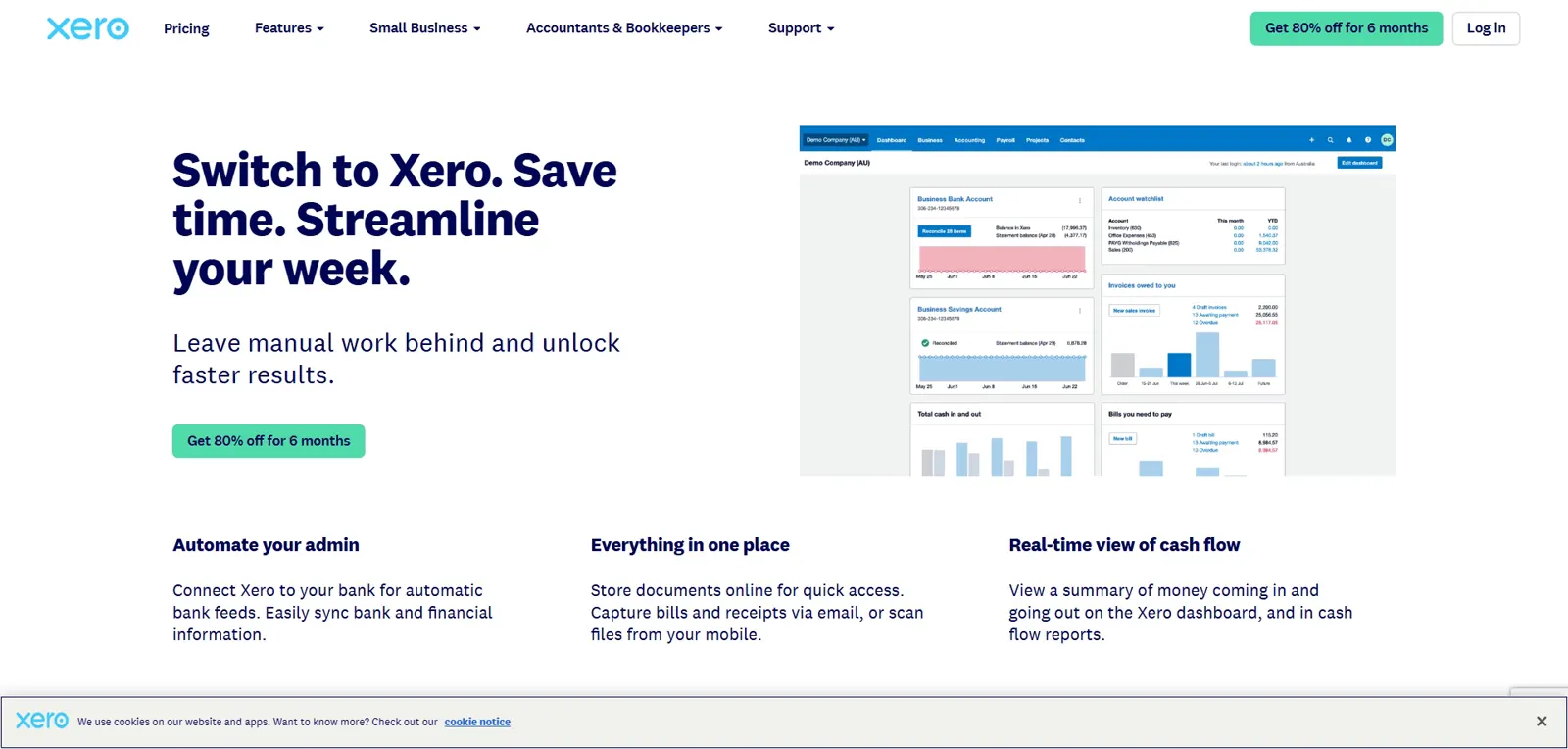
Open the referral link
Click any "Get 80% off" button here. It goes through my short link to Xero's referral page, which says "Get 80% off for 6 months" at the top.
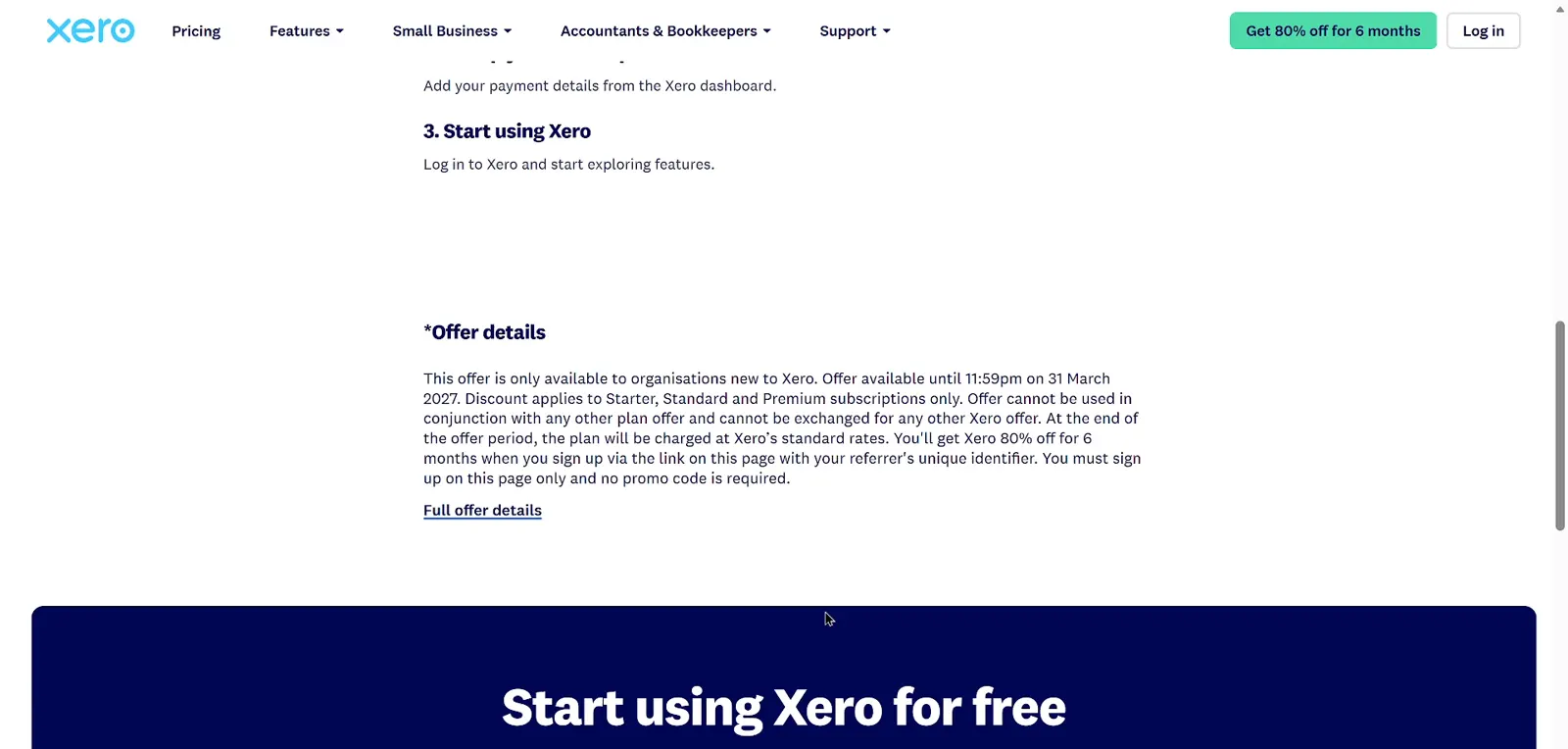
Read the offer details
Scroll down to "Offer details". It's only for organisations new to Xero, it runs until 31 March 2027, and you must sign up on that page. No promo code is needed.
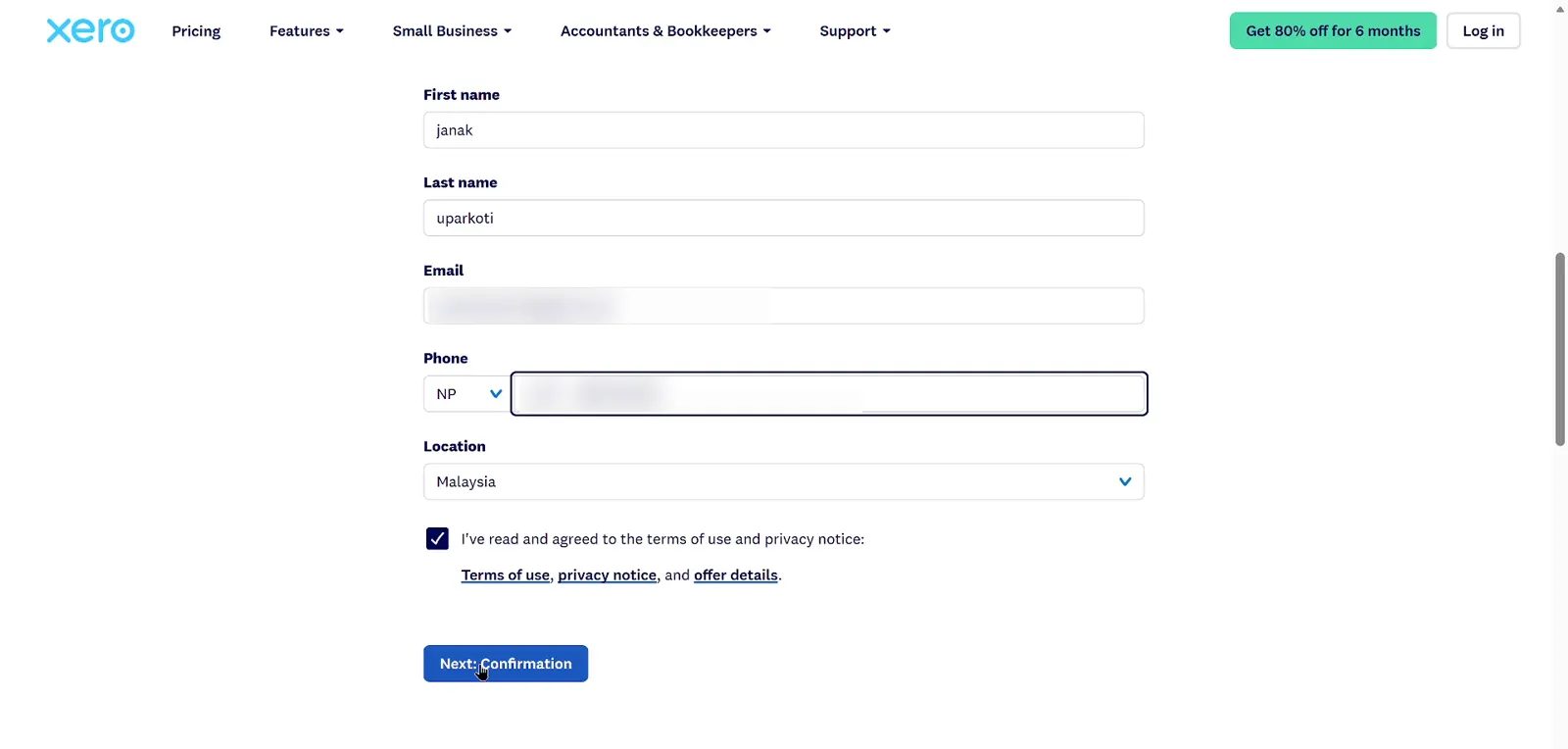
Fill in the form
Name, email, phone and location, tick the terms box, then Next. Xero sends a "Confirm your email address" email. Click the blue button in it and set a password (8+ characters with a number).
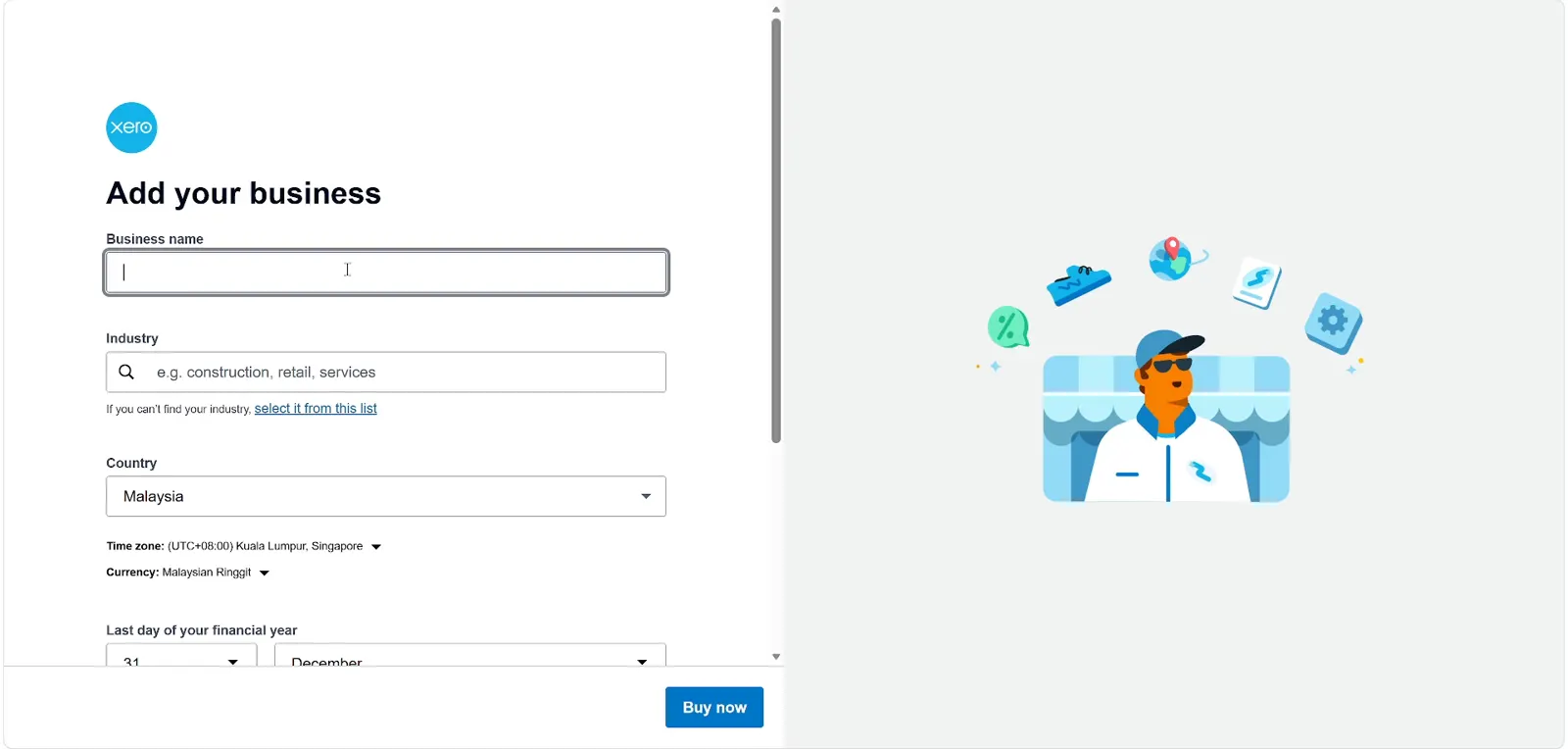
Add your business
Business name, industry and country. Get the country right: it sets your time zone, currency and the plans you'll see. Then click Buy now.
Check the discount at checkout
Every plan should show a green "80% off for 6 months" badge. The plan summary shows the end date and a code chip Xero added by itself. I didn't type anything.
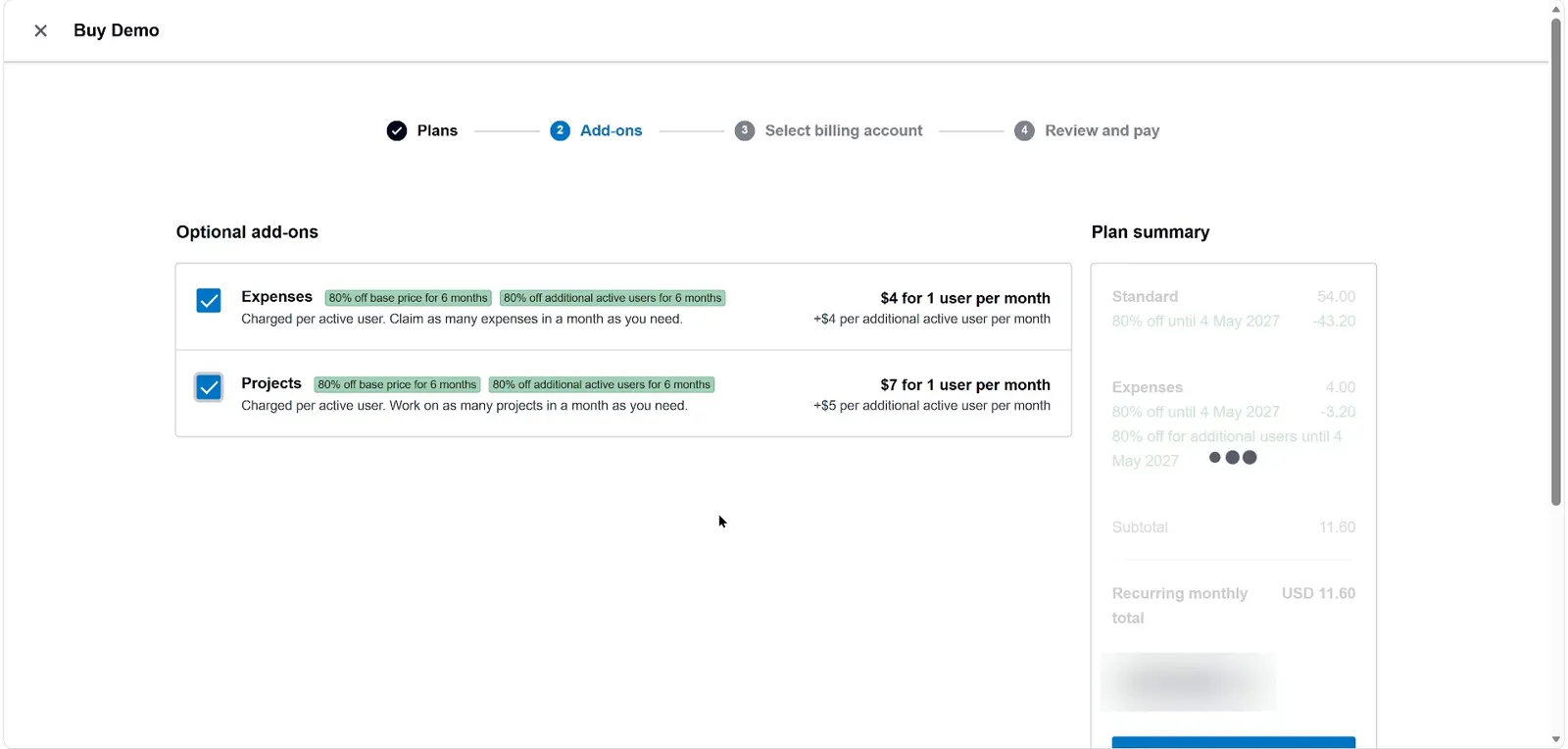
Choose add-ons only if you need them
Add-ons cost extra. In my run they were discounted too: Expenses went from $4 to $0.80, so Standard plus Expenses came to US$11.60 a month.
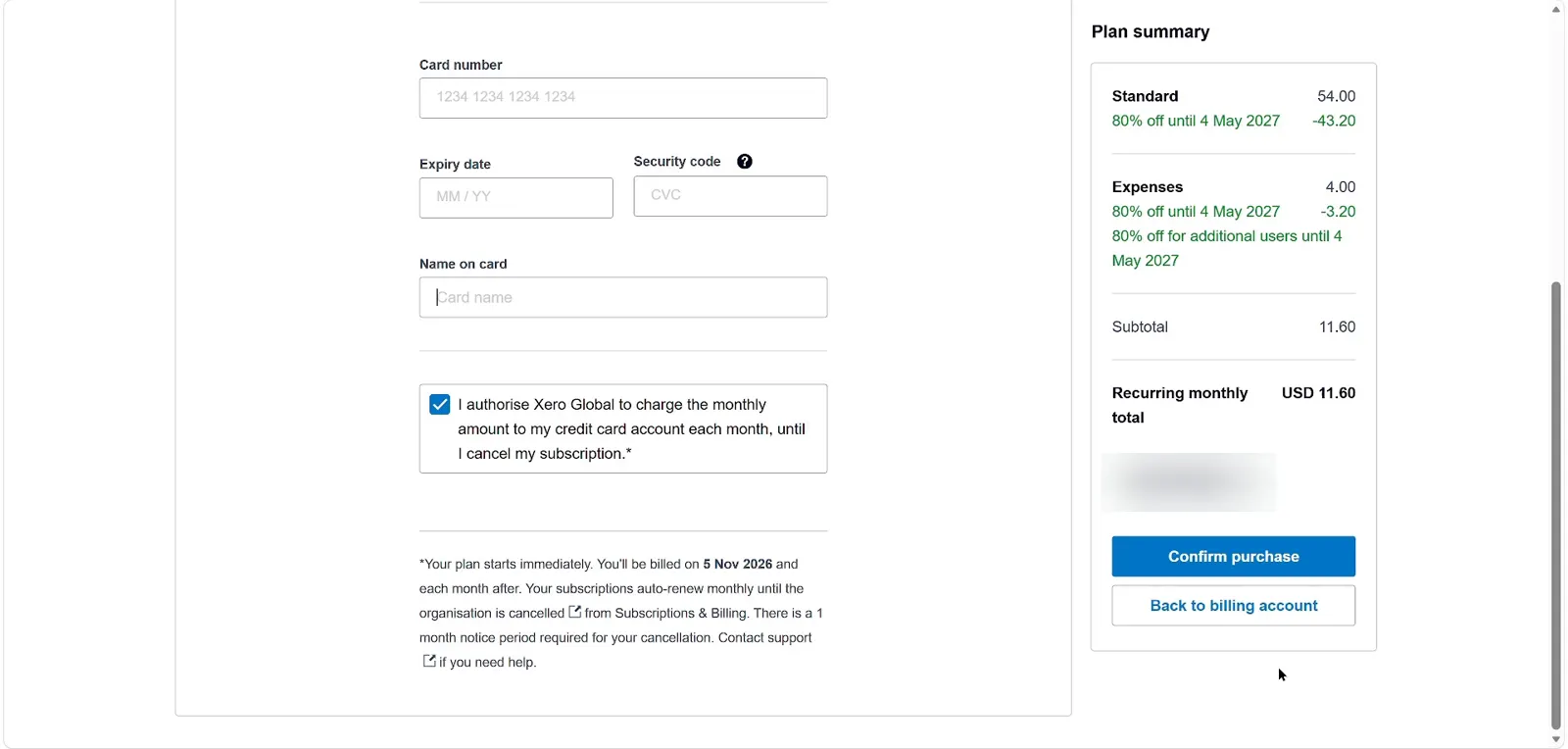
Read the payment terms before you confirm
The plan starts straight away, it renews monthly, and cancelling needs one month's notice. When the 6 months end you pay the normal price.


US business, new to Xero? Check the plan summary for 6 months.
Business in the UK or Malaysia? Use the 90% off UK & Malaysia link
Who shouldn't use Xero in USA
- Teams that need payroll and want one bill. QuickBooks Online has payroll in its own bundles. Compare the total, not the headline.
- Businesses whose accountant only uses QuickBooks. In the US that's common, and fighting it costs more than any discount saves.
- Freelancers with more than 5 bills a month who want to stay on Early.
- Anyone who wants phone support. Xero is online-only, though they can call you back.
Not sure between the two? See my Xero vs QuickBooks summary.
Pros and cons for USA businesses
What I like
- Referral offer doubles the public 3-month discount
- Unlimited users on every plan
- 1099 filing and sales tax built in
- Free ACH bill payments
- Free 90-day setup coach
What I don't
- Payroll via Gusto costs $36 + $6 per person extra
- Early allows only 5 bills
- Referral page uses global plan names
- Many US accountants prefer QuickBooks
- No inbound phone support
Xero USA promo code questions
Is there a Xero promo code for the USA?
You don't need to type one. Xero's US page names DC80325309US for its 3-month offer, and the referral page needs no code at all.
Is Xero 80% off for 6 months in the US?
The referral page says 80% off for 6 months for organisations new to Xero. Xero's public US page says 3 months. Check the plan summary at checkout to see which applies to you.
Does the Xero discount cover Gusto payroll?
No. Payroll is an add-on at $36 a month plus $6 per person, charged on top of your plan.
What does Xero cost after the discount?
Early $27, Growing $59, Established $97 a month, before sales tax.
Can I switch plans during the offer?
You can upgrade any time. Xero's terms say you can move to a cheaper plan one month after upgrading.

I make accounting software reviews and walk-throughs on YouTube, and I record every sign-up I write about. The 80% checkout screenshots on this site are from my own sign-up on 5 November 2026. I'm not an accountant, so treat this as a buyer's guide, not tax advice.